

QuickShot
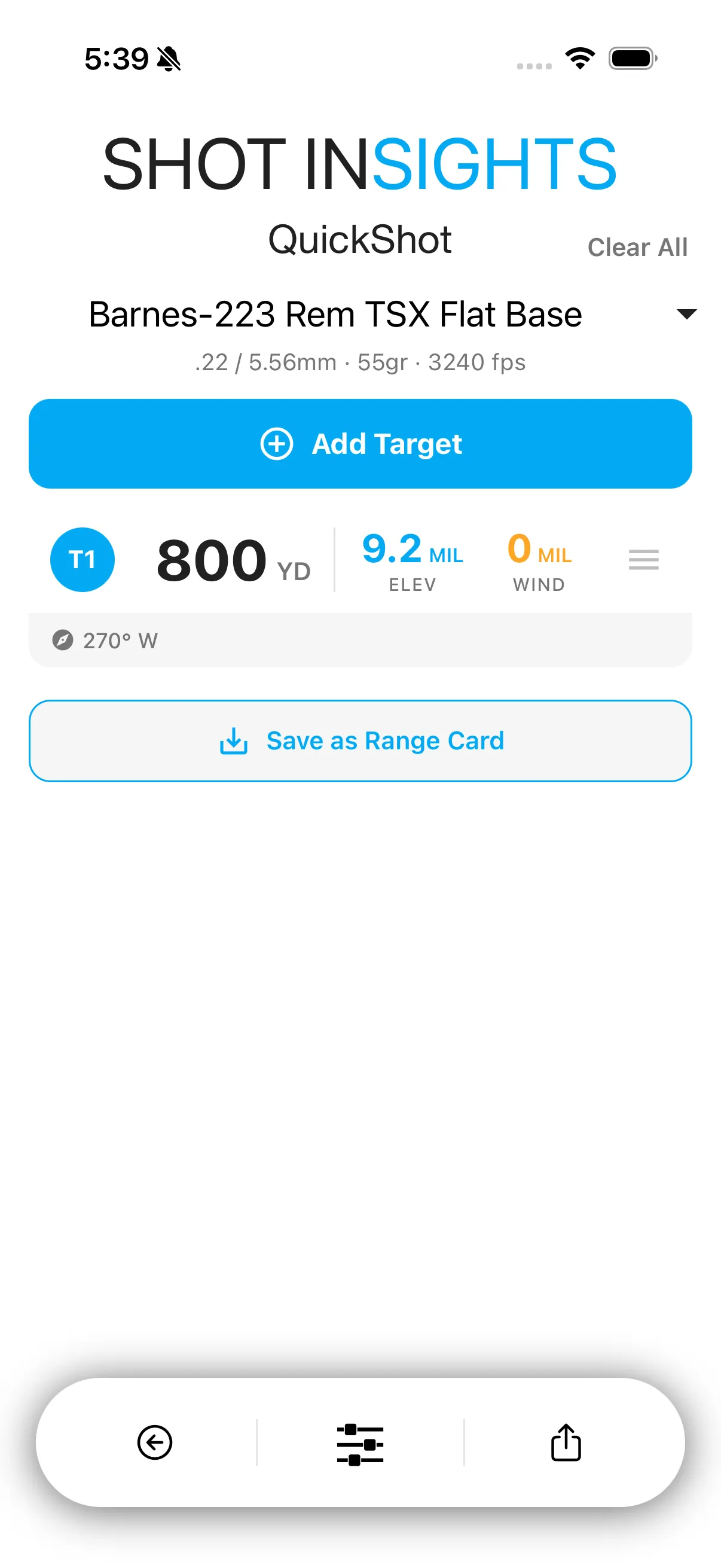
QuickShot helps you plan a string of shots across multiple targets. It keeps each target’s distance in one list and calculates the hold for each entry, which makes it useful for practice drills, hunting setups, and stage prep.
Build a QuickShot card
Section titled “Build a QuickShot card”- Open QuickShot.
- Tap Add Target.
- Enter the target distance, then save it.
- Repeat for every target you want on the card.
- Review the elevation and wind hold shown for each target.
Add more detail when you need it
Section titled “Add more detail when you need it”You can refine a target with direction, angle, and current wind so the holds match your shooting position more closely.
Live wind from WindZero
Section titled “Live wind from WindZero”Connect a WindZero and a Live Wind strip appears above your target list. It shows the current wind speed and direction, with your wind hold shown as a band from the average to the recent gust rather than a single number that jumps around. Every target on the card updates from the same live reading, about once per second. If your meters stop reporting, the strip shows STATIC and holds fall back to your saved conditions.
Tap the meter count on the strip to set each meter’s downrange distance — with two or more meters configured, holds are weighted by wind zone instead of a single reading for the whole shot. Tap the save icon on the strip any time to capture the current wind into your saved conditions. See WindZero for the full rundown of the strip and wind zones.
Save your work
Section titled “Save your work”If you want to keep a QuickShot setup for later, save it as a Range Card. That is a good option when you revisit the same targets often.
- Start with QuickShot when you have a small list of known distances.
- Move to Match Card when you need stages, positions, or match sharing.
- If you only need one target, QuickSight is faster.
Help improve these docs
With your permission, we use Google Analytics cookies to understand which guides are useful. Analytics is optional. You can change your choice in Analytics preferences at any time. Privacy policy