

Truing
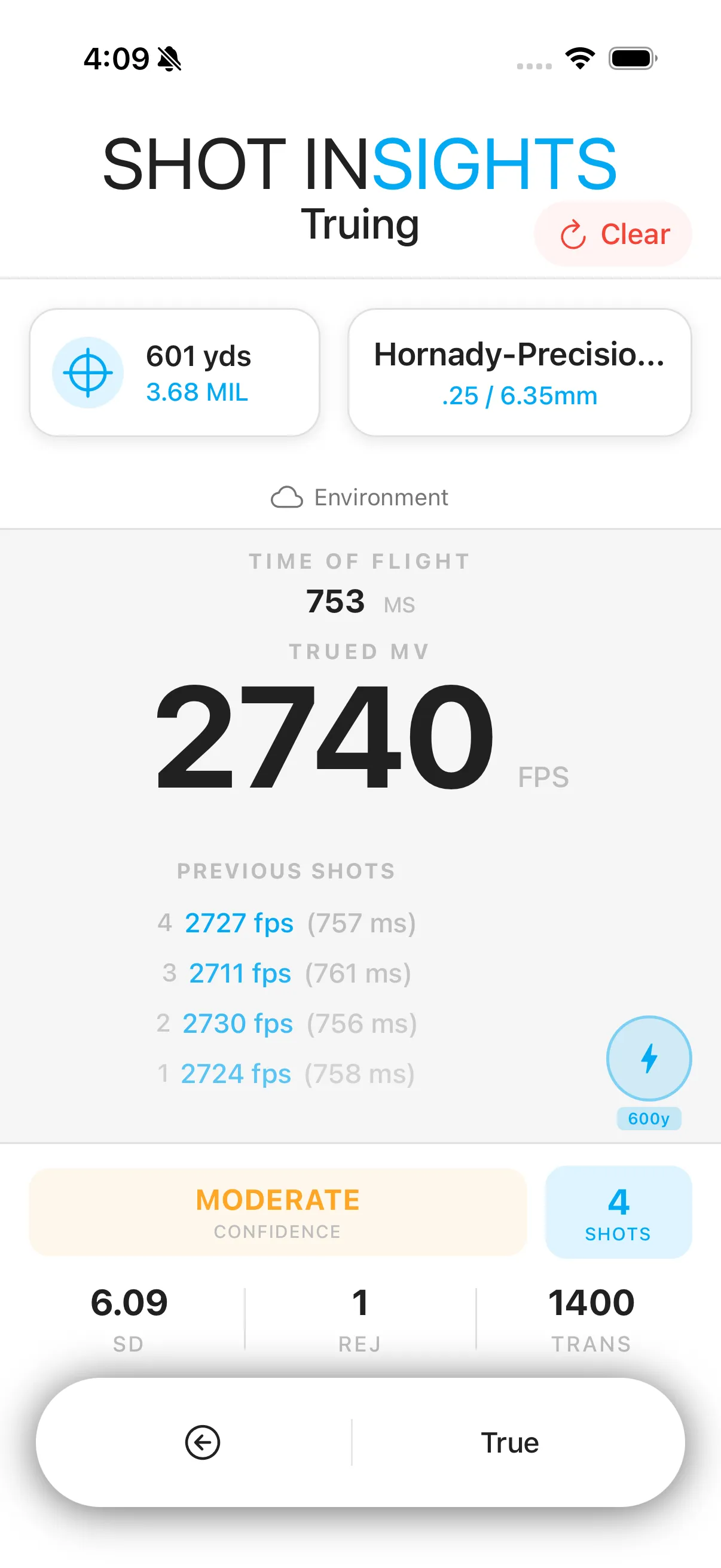
Truing helps you correct a profile after you compare the prediction to actual impacts at known distance. In Shot Insights, truing is part of Shot Insights Pro.
When truing helps
Section titled “When truing helps”Use truing when your profile is close, but your actual impacts show a steady difference you can measure and repeat.
True a profile
Section titled “True a profile”- Shoot a group at a known distance.
- Record the actual hold or correction you used.
- Open the profile in Ballistics.
- Open Truing.
- Enter the distance and the actual hold you observed.
- Choose whether to true Muzzle Velocity or the bullet’s Drag Scalar.
- Apply the change and review the updated solution.
When to true muzzle velocity
Section titled “When to true muzzle velocity”Choose muzzle velocity when you believe your bullet choice is correct but your speed input needs refinement.
When to true the Drag Scalar
Section titled “When to true the Drag Scalar”Choose the Drag Scalar when your muzzle velocity is trusted but the predicted drop keeps missing in the same way as distance increases.
- Start with a clean, confirmed zero.
- Use steady shooting data instead of a single rushed shot.
- Duplicate a trusted profile before making large changes in case you want to compare later.
If you are still building your first setup, start with Create from Bullet Library before you worry about truing.
Help improve these docs
With your permission, we use Google Analytics cookies to understand which guides are useful. Analytics is optional. You can change your choice in Analytics preferences at any time. Privacy policy